CircleConvert
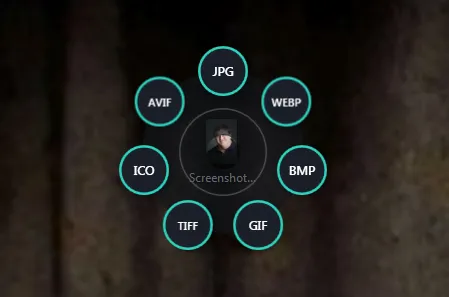
Ctrl+Alt+Shift+Click a file on the desktop, pick a format from the ring that opens around it, and the converted copy appears right next to it.
 Rosary
Projects › CircleConvert
Ctrl+Alt+Shift+Click a file on the desktop, pick a format from the ring that opens around it, and the converted copy appears right next to it.
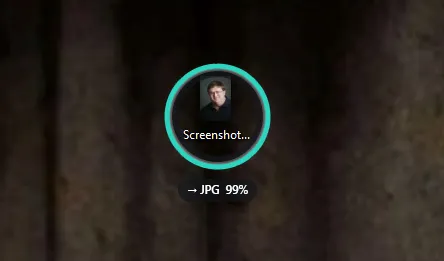
CircleConvert is a small Windows tool that lives in the notification area. Hold Ctrl+Alt+Shift and click any file on the desktop, and a ring of formats blooms out around its icon. Click one and the ring folds into a progress circle around the icon. When it’s done, the new file is put in the nearest empty spot on the desktop, right next to the original. There’s no window, no dialog and no “Save as”. Will be releasing it for free very soon.
The ring only offers what makes sense for the file you clicked, and each kind has its own colour. Images are converted inside the app with Magick.NET. Audio and video go through ffmpeg, which it finds on its own, and it notices if you install ffmpeg later without needing a restart.
The tray icon has a “Start with Windows” switch and a log. It needs the .NET 8 Desktop Runtime, and ffmpeg for audio and video.
conic-gradient with three arcs, cut into a ring by a mask that also keeps the white dot. Hover the header card and it spins at the app's waiting speed, one turn every 0.9 seconds.conic-gradient masked into a ring. Its fill and colour are custom properties registered with @property, which is what lets a keyframe animate them: it fills the rest of the way, turns green, and a check badge pops at its top-right. Sizes are in cqw, so it lines up at any width.